
Who can interact with this?
Anyone in your business can add contacts by following the checklist below (you can find out more about roles and privileges here)
Step 1. Log in to Engage portal
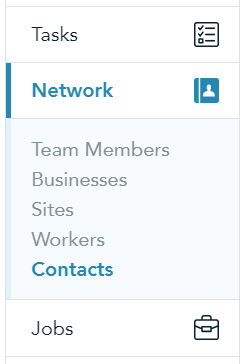
Step 2. Navigate to 'Network' and 'Contacts'
Step 3. Click the 'New Contact' button
Step 4. Fill out as required
Step 5. Depending on whether you are adding a client or a supplier contact you will have different Role options:
- If you are adding a client contact - you can make them a Timesheet approver
- If you are adding a supplier contact - you can give them Consultant role

You can find out more about roles here
Step 6. Once filled out you can choose to create a contact (without sending out the welcome email) or create and invite:
