
This article covers everything you need to know about our Activity Log function.
General
To locate the Activity Log section head over to the left side menu and go to the very bottom function titled 'Preferences' and you will find the activity log right at the very bottom.
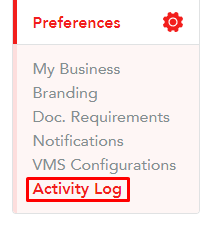
The most recent activity will appear at the top of the activity log page. Some of the more general activity include:
Change of roles
The activity log will show you when there has been any change of role on the platform. Below is a few examples of how this would look:

Changes done to the business
The activity log section will show if there have been any changes done to the business, for example, this could be any changes such as changing the bank details of the business or changing the VAT number.
Invitations
The activity log section will show if there have been any invitations from the platform inviting a particular team member to the business.

Changes in the documents
Here you will also find a log of changes to documents, for example, if any titles were changed or documents were added/removed.
Please note!
At the moment, we only display the last 2 months of activity
Logs on specific items
The following logs can be located on specific timesheet, placement, vacancy or expense and it would normally be at the bottom of the item:
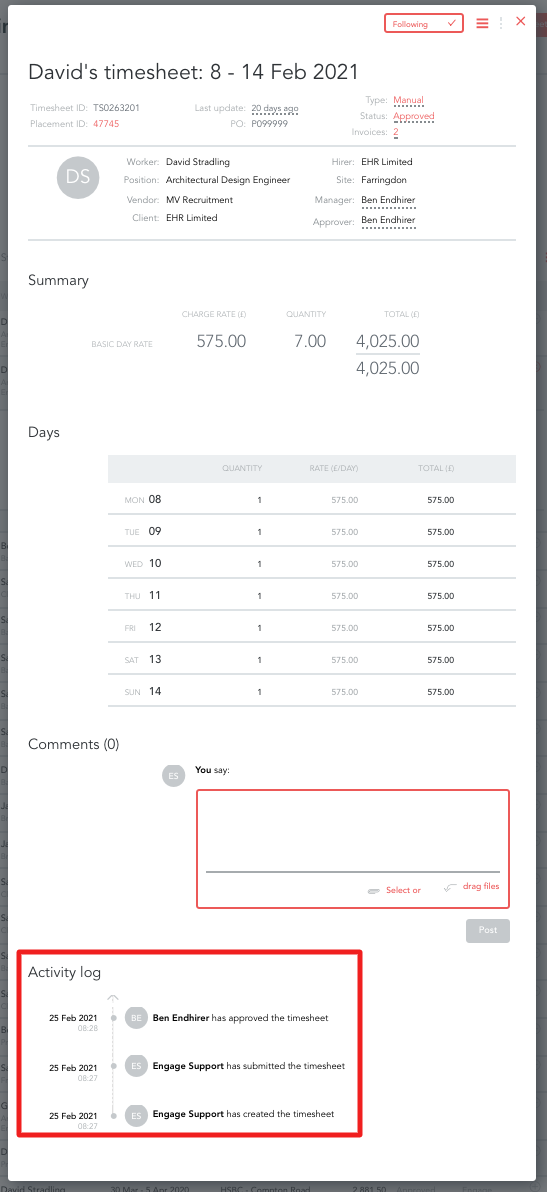
You would be able to see the following on:
- Timesheets
- Who made changes to the timesheets
- What changes were made exactly
- Who has either created, submitted, approved or cancelled the timesheet
- Vacancy
- Who Invited vendors to the platform
- Who left a comment on a vacancy
- Who approved and/or created the vacancy
- Expenses
- Who has submitted and approved the expense
- Who has made any changes to it
- Placements
- Who has created and submitted the placement
- Who has made changes to it (e.g. changes of rates etc)
Worker Logs
Here you will be shown any changes made to any worker's profile. For example:
- Timesheet activity changes made by any party
- Payments and Transactions made around the worker
- Time Logging for when workers logged in
- Document Activity showing verification, rejection and the reason why
- Reminders sent to the worker
Please note!
These logs only date back six months
Suppliers and Clients
The activity log shows changes made to Suppliers. To view it please go to Network -> Businesses -> choose a business and click on 'Activity log':

Here you can see:
- Changes made to supplier payment settings
- Changes made to supplier business details