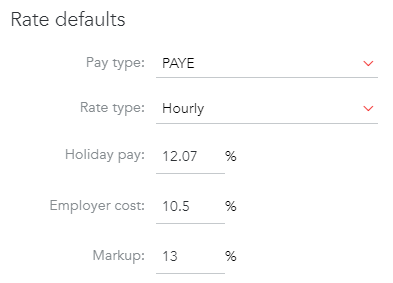
In this article we will cover the latest increase in National Insurance and what you might want to do if you are using ENGAGE's employer cost and mark up to calculate your charge rate.
What's changing?
From 6 April 2022 to 5 April 2023 National Insurance contributions will increase by 1.25 percentage points. This will be spent on the NHS, health and social care in the UK.
The increase will apply to:
- Class 1 (paid by employees)
- Class 4 (paid by self-employed)
- secondary Class 1, 1A and 1B (paid by employers)
If you would like to learn more about this, please follow this link.
Depending on how you use the ENGAGE platform, the above changes may be affecting the charge rates in 4 places:
- Placements
- Vacancies
- Positions
- Client configurations (if any)
Here is how you can make the amendments to reflect the increase:
1. Login to ENGAGE
2. Navigate to Jobs -> Placements
3. Select the relevant placement
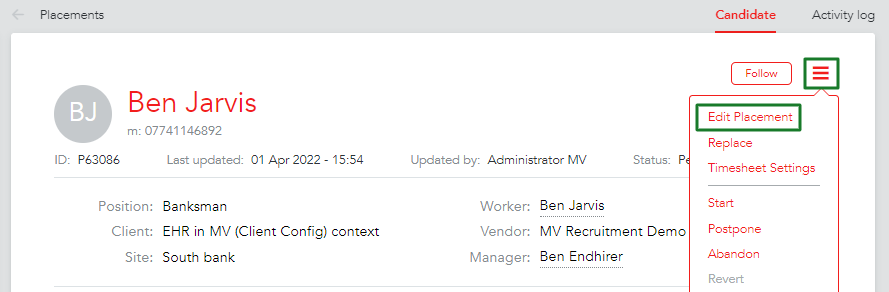
4. Click 'edit placement' from the 3-line menu in the top right corner
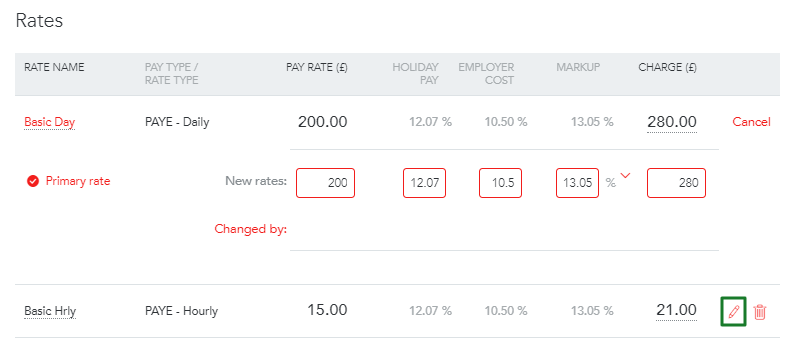
5. Scroll down to Rates and update the relevant fields
Important!
Please note, this change will only be reflected on the next generated timesheet. The old timesheets will stay unedited.
1. Login to ENGAGE
2. Navigate to Jobs -> Vacancies
3. Select the relevant vacancy
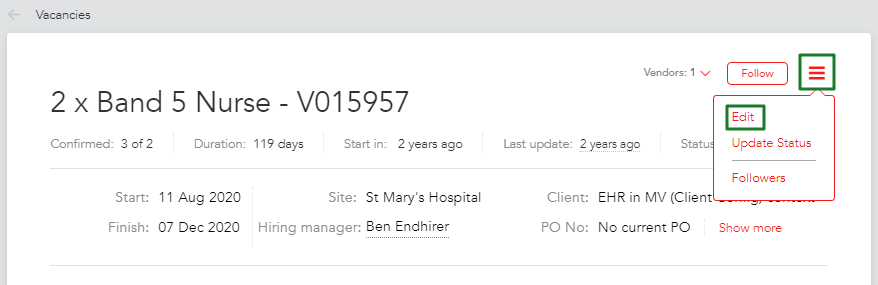
4. Click 'edit' from the 3-line menu in the top right corner
5. Scroll down to Rates and update the relevant fields
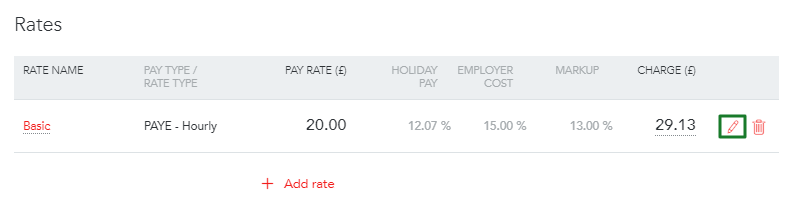
1. Login to ENGAGE
2. Navigate to Jobs -> Positions
3. Select the relevant position
4. Click 'edit position' from the 3-line menu in the top right corner
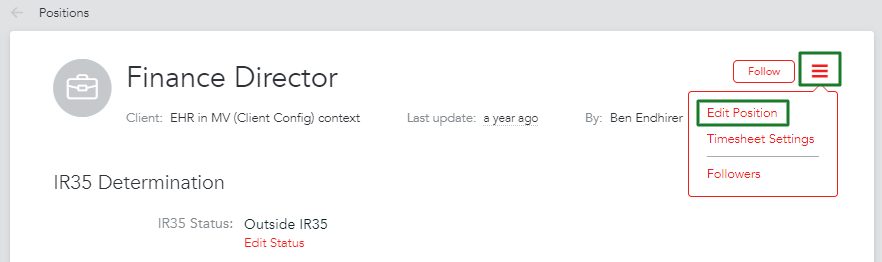
5. Scroll down to Rates and update the relevant fields
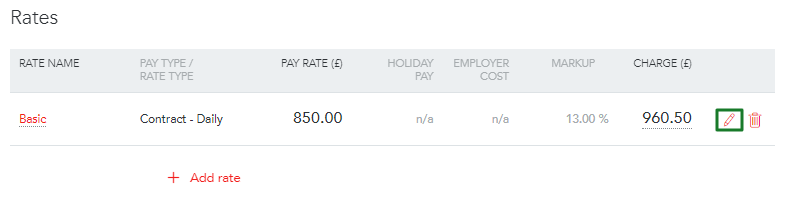
Important!
Please note, this change will only be reflected on the future vacancies or placements.
1. Login to ENGAGE
2. Navigate to Network -> Businesses
3. Choose the client in question
4. Click on 'Client Configurations' and edit the relevant configuration
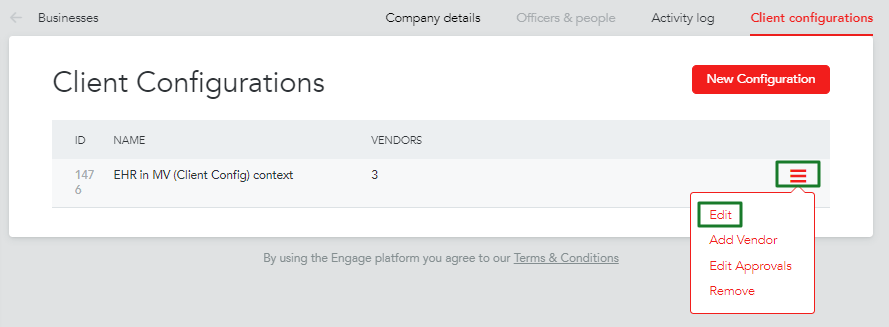
5. Amend the fields that are changing in your business