Expenses can be submitted when you need to claim money back from the company you work for. This is usually for work-related costs, such as equipment, travel, or anything else you might pay for, usually specified by the company.
Please note!
If you find that you are unable to create an expense in the way listed below, please reach out to your agency - they can make necessary amendments for your placement on the portal
Step 1. Log in to Engage portal
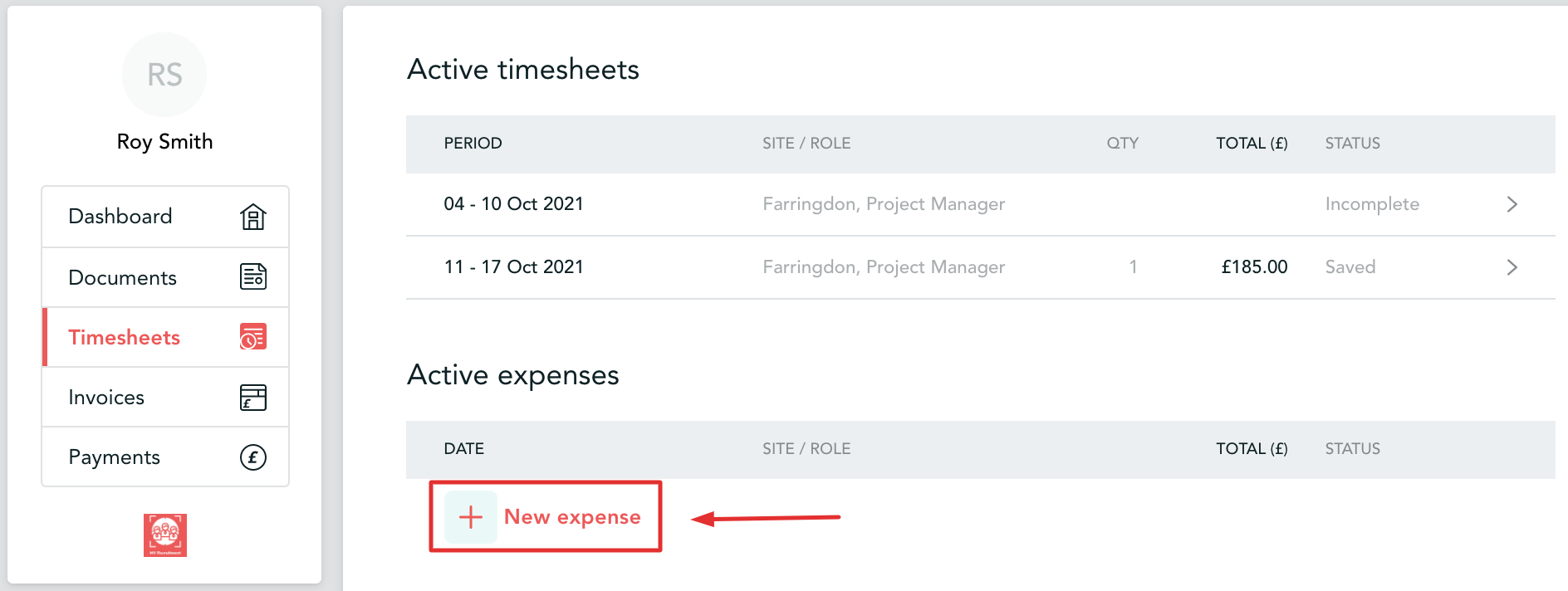
Step 2. Navigate to 'Expenses' in the 'Timesheets' section
Step 3. Click on 'New Expense' button to add a new expense
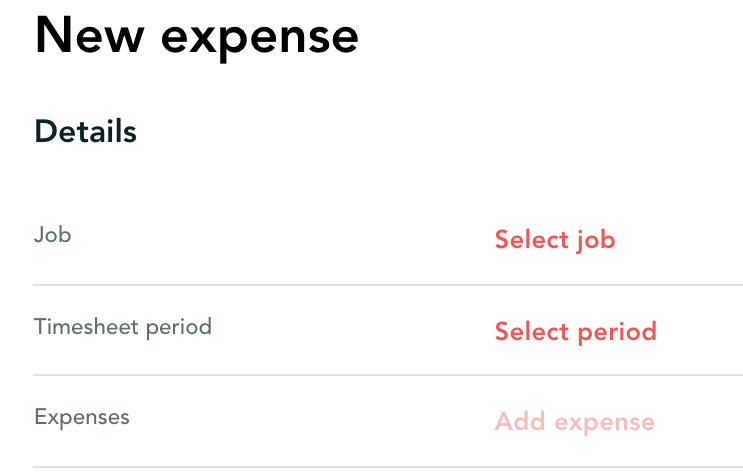
Step 3. First, you would need to choose which job you are submitting expenses for and for what week
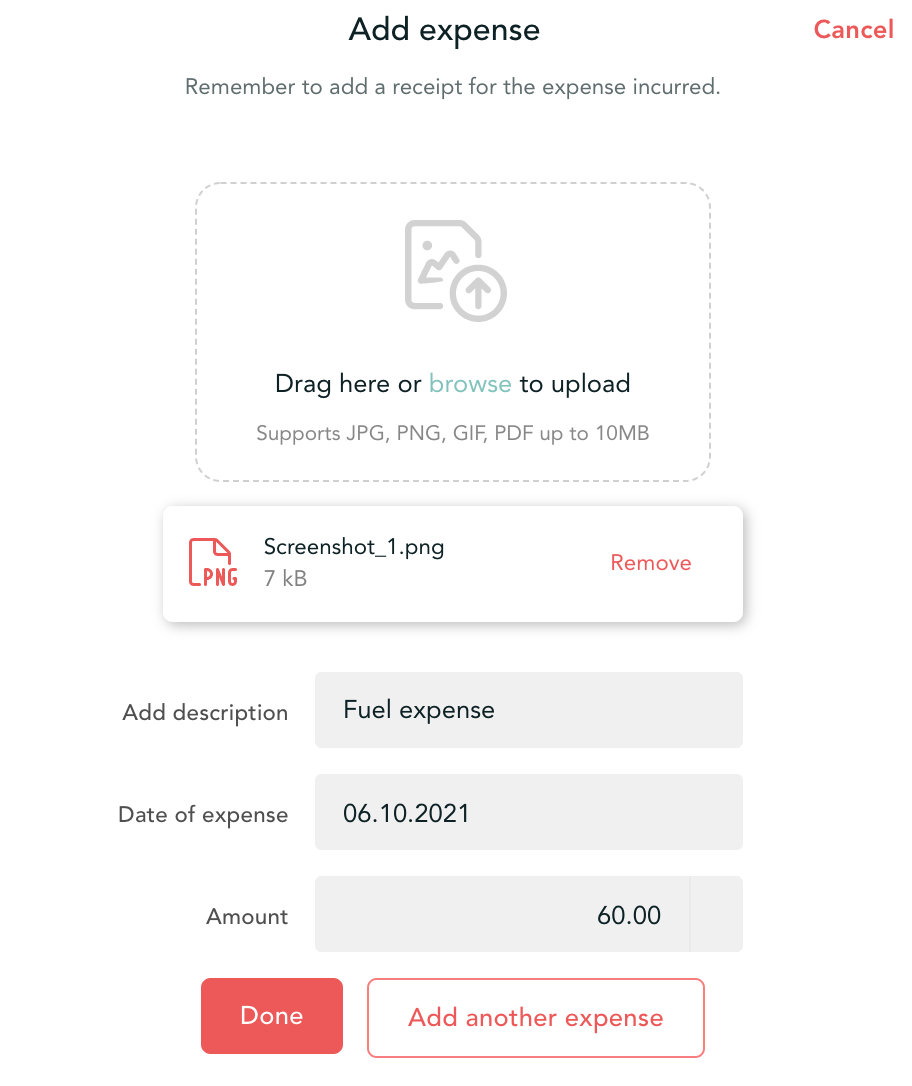
Step 4. Next, you would be prompted to add the expense: scan/photo of the receipt, description, date and amount
File formats
Acceptable file formats are PDF, JPEG, GIF and PNG
If you need to upload an unsupported file format, such as an XLSX, you can export the file to PDF and upload the PDF export
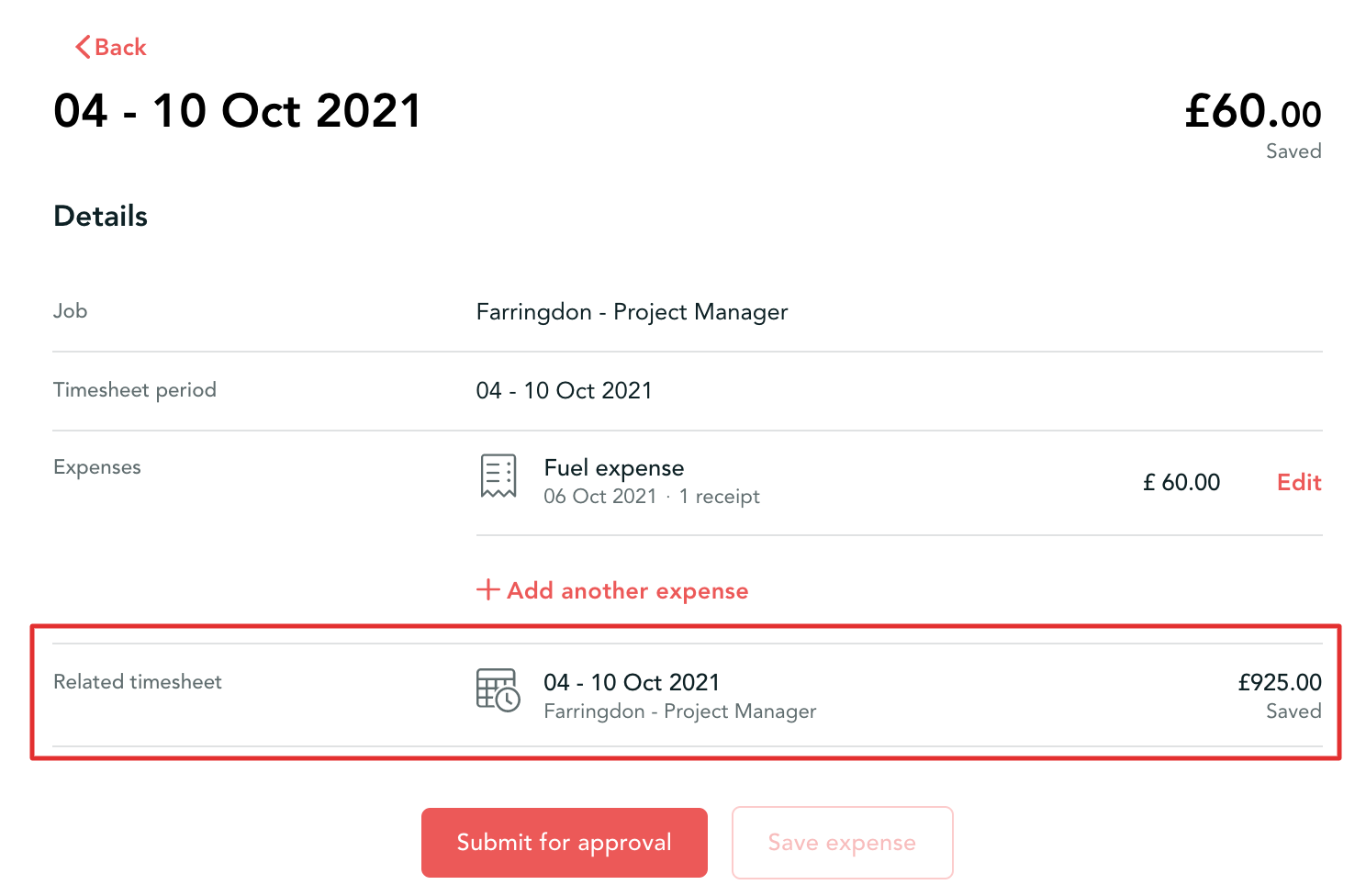
Step 5. You can add as many expenses for approval as you need. Once done, please click on 'Submit for approval' if you are not planning to submit any other expenses for this week or on 'Save expense' if you still have others to enter.
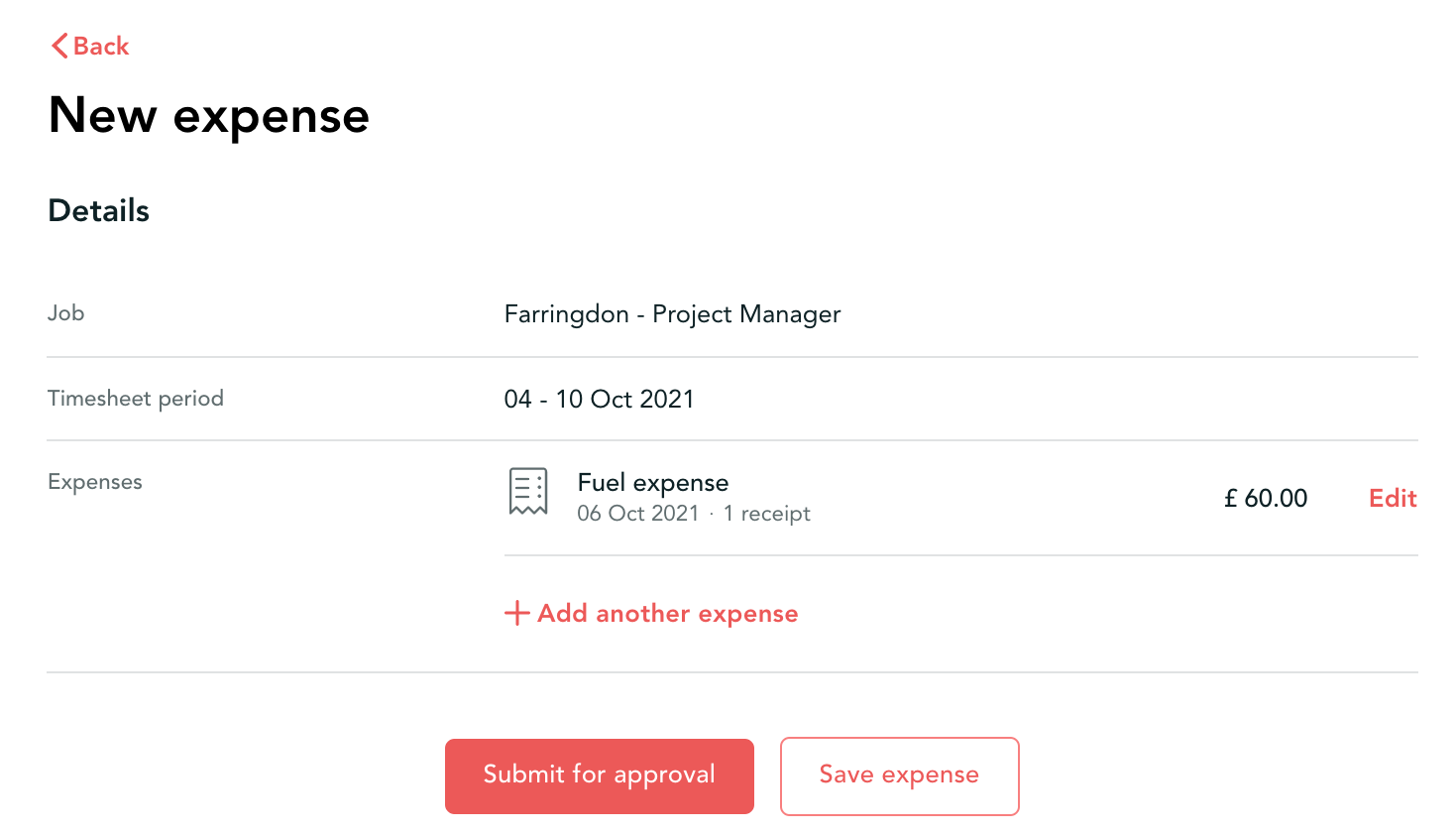
Improved visibility
We have added 'Related timesheet' section on the Expense page to promote more visiblity and easier management of your submissions