
This article will help you understand how to change your password.
Password reset
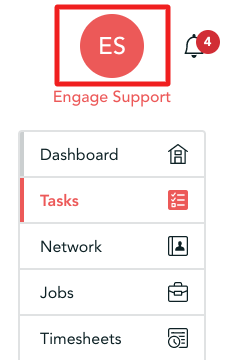
Step 1. The Password reset can be located in your account - you can access this by using the left-hand menu and clicking on your name near the top
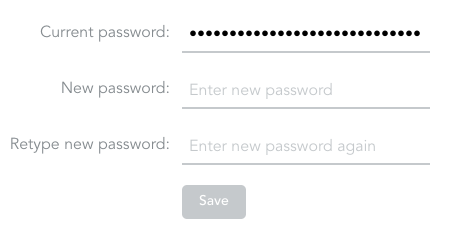
Step 2. Once on the account page scroll down and locate 'Login Details' there you will see a prompt to enter the current and new password
Forgotten password
If you don't have access to your account currently, please follow the steps below to reset your password.
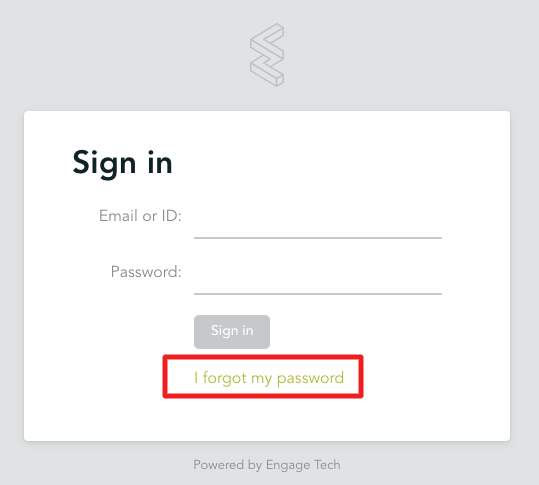
Step 1. Open the link you use to sign in to Engage (this would be https://engage.youragency.engagetech.net)
Step 2. Click on 'I forgot my password'
Step 3. Please enter the email you have registered with on Engage initially
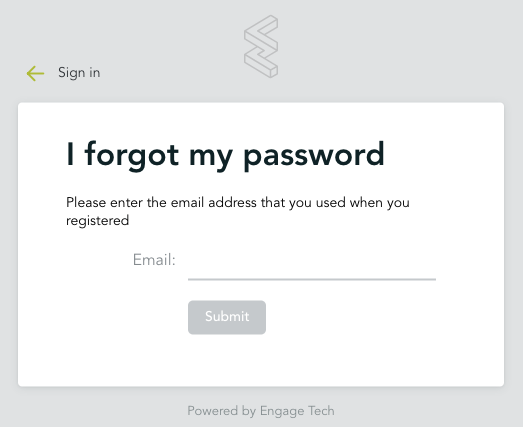
Step 4. If you have entered the correct email, we will immediately send a notification to your inbox to reset your password
Please note!
Sometimes 'reset password' email might end up in your spam folder so please make sure to check it