
Who can interact with this?
Anyone in your business can enable self-billing - follow the checklist below (you can find out more about roles and privileges here)
Step 1. Log in to Engage portal
Step 2. Navigate to the 'Workers' section and click on the worker's name to
access their profile
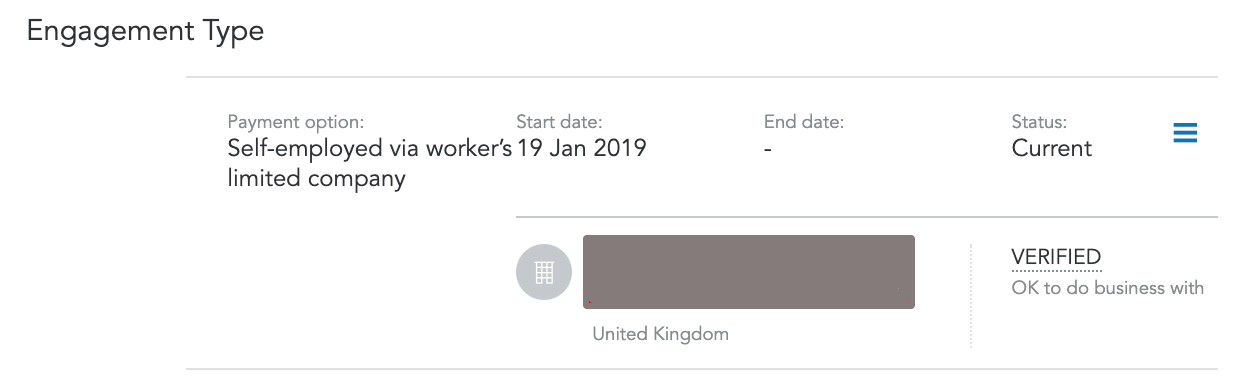
Step 3. Scroll down to 'Engagement Type' section and click on the worker’s
limited company
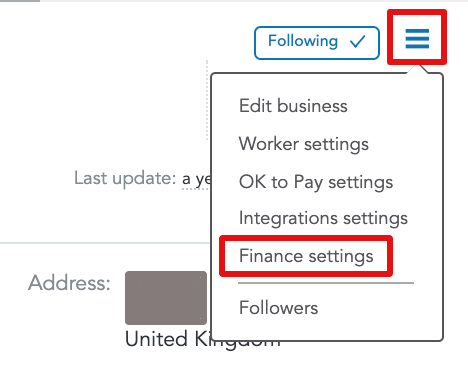
Step 4. Access Finance settings from the 3-bar menu
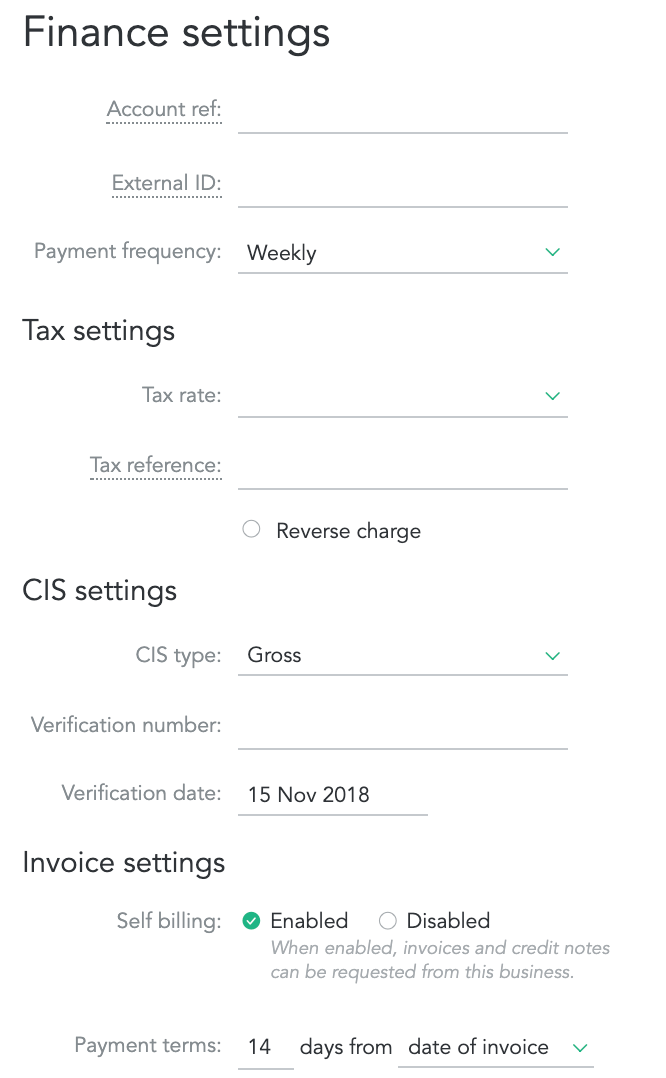
Step 5. Here you can enable self-billing and enter tax information:
-
Account Ref - business shortcode to be shown on export files
-
External ID - limited company number from your CRM system
-
Payment Frequency
-
Tax Settings:
-
Rates (Standard 20%, reduced 5% or zero rated 0%)
-
Reference
-
- CIS Settings:
- CIS Type
- Verification number
- Verification date
-
Self Billing settings
-
Payment Terms