
Who can edit placements?
At the End-hirer, any role except Finance have access to this feature where as at the Agency any role can action this.
Step 1. Log in to Engage portal
Step 2. Navigate to 'Jobs' and 'Placements'
Step 3. Locate your placement using filters
Step 4. Once located, click 'View details'
Step 5. From the 3-line menu select 'Edit'
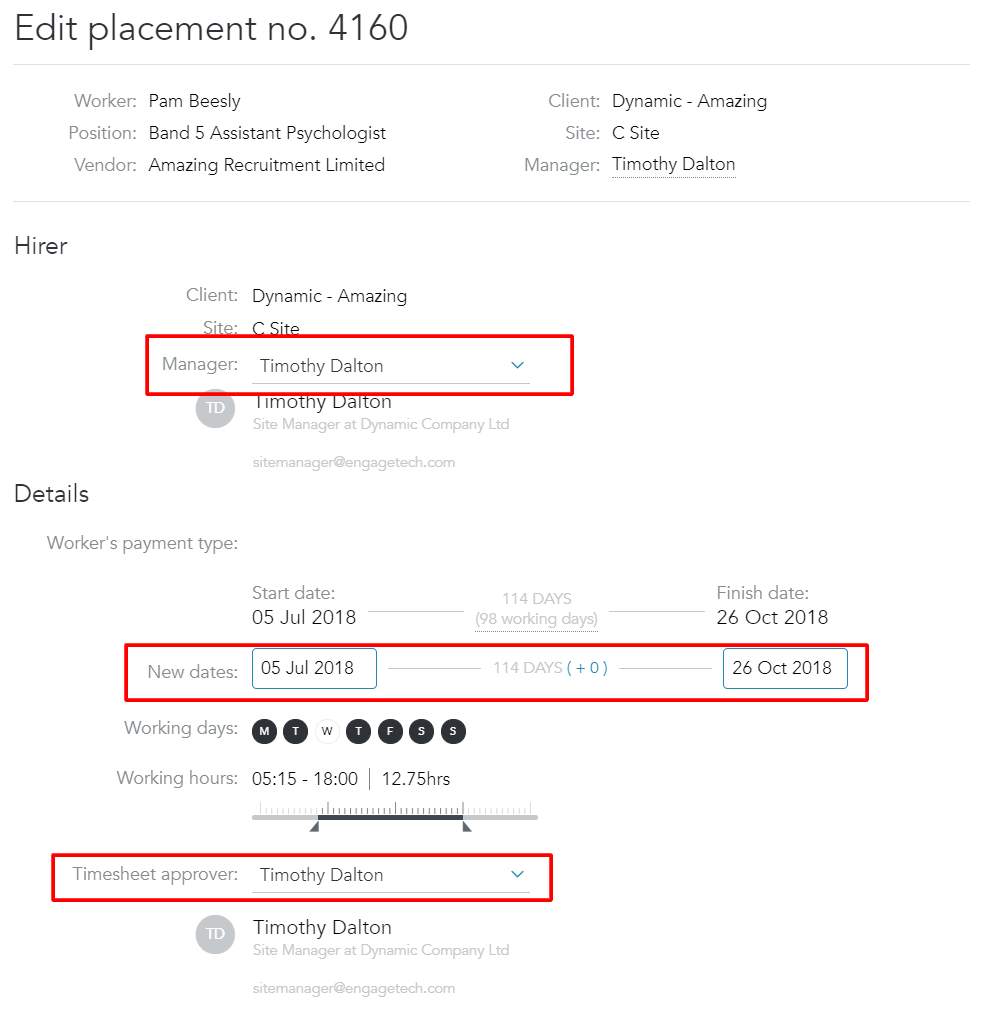
Step 6. Here you can edit start/end dates, manager of the placement and a timesheet approver:
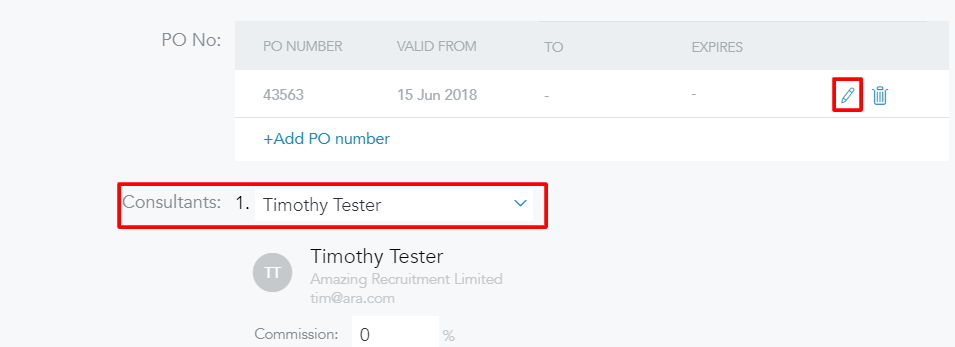
Step 7. You can also edit the Purchase Order and consultant:
Commission split issue
If you are trying to change the commissions split for consultants but are experiencing a bug where the value cannot be changed, simply click on their name, then click on the 'X' that appears to the right of their name, this will clear both fields for this consultant. From here you can re-enter the consultant, the new commission split, and save the placement.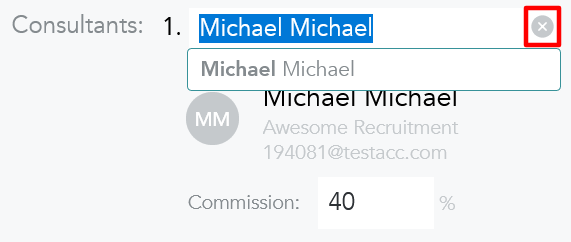
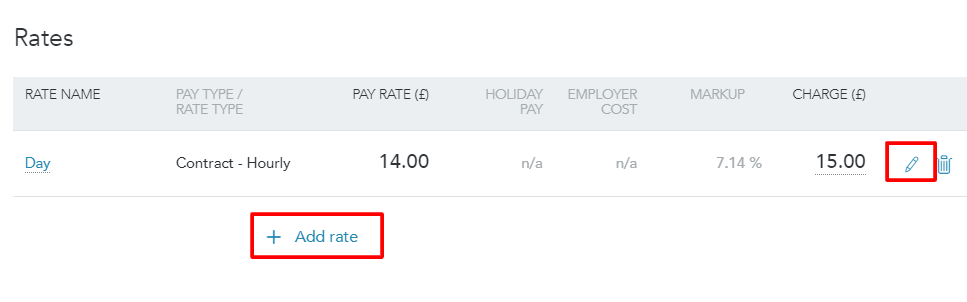
Step 8. You can also add or edit worker's rate:
Step 9. Click 'Save' once done