
Engage allows you to temporarily close, cancel or mark a vacancy as completed at any time.
Who can do it?
Anyone with access to the vacancy can update it's status, this applies to both End hirers and Agencies (keep in mind that some roles do not have access to the all vacancies tab and will need to be added as a follower in order to access them).
Roles that do not have access to vacancies:
Timesheet approver
Finance
Step 1. Log in to Engage portal
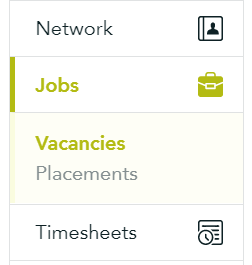
Step 2. Navigate to 'Jobs' and 'Vacancies'
Step 3. Find the vacancy in question, click 'Update status' from the 3-line menu

Step 4. Select the appropriate status:
- Complete: for vacancies that have been filled (this action cannot be undone)
- Closed: to temporarily stop agencies from submitting any new candidates (once closed you will be able to re-open the vacancy)
- Cancelled: for vacancy requests that are no longer needed (this action cannot be undone)
Step 5. Click 'Save'
Please note: This cannot be done by Consultants or Managers. A higher role is required. For information on roles, check 'Creating and managing teams'.