

How we’ve been optimising your Engage experience over the past 12 months
We've been super busy this year and despite all the challenges that COVID-19 has brought, we’ve managed to deliver a number of new features and significantly improve the performance of our platform all while constantly supporting clients throughout these difficult times.
Below is a look back at some of the updates that we’ve added over the course of the year.
Please note!
Availability of features/permissions depends on the product you’re using (ABO/ VMS) and whether or not you have an integration with other CRM systems.
Client configuration
We’ve made a few changes in relation to the way that you’re managing your clients to provide a smoother and more intuitive experience.
Accessing Client configuration
We’ve changed the way users can get their client’s information:
- For agencies in control of their Client configuration (Master Vendors), access to client details is now provided via the Network -> Business list -> Client profile. This is a much more natural expression of the relationship between businesses and also leverages your search to make navigation to the details you need more intuitive.
- For neutral vendors (hirers who run their own VMS) this same configuration is available via the Preferences app.
New settings
Here are the new features now available in Client configuration:
- Client invoice details - it's now possible to specify different details than those stored at the business to be used on invoices (this allows the same business to be represented within multiple business units or indeed actual businesses).
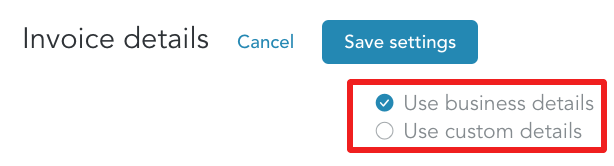
- Invoice contact - this can now be specified at each Client configuration ensuring invoices can be sent to the right people.

- Timesheet settings – we’ve consolidated and extended these to cater to a number of your business’s needs.
Platform prefix
When creating a new client, end hirers, agencies and umbrellas must specify a website; platform prefix is now derived from the agency's website removing the need to fill out the details and saving you valuable time.
User & Contacts management
We’ve drastically improved our Network section; in particular user and contact creation, and management flow. Here is what’s new:
Invitation flow
- Inviting contacts from an agency which is side linked to an end hirer will create two entities (data in both of these entities can evolve independently):
- Network contact (owned by the agency)
- Platform user (owned by the end hirer)
- The agency can assign a 'Timesheet approver' role to a contact (this allows contacts to see timesheets assigned to them specifically)
- If the user has logged into the platform, inviting them again would trigger a password reset email.
More visibility
- Information such as the status of invitation and last login is now displayed on the main Teams page
- We’ve introduced an activity log, which includes information about the addition and removal of roles.

Making changes to the user’s profile
You can now edit a team member’s information:
- If a team member hasn’t logged in previously, their email can be changed by the administrator – in this case, two notification emails will be sent to inform the user - one to the old email and one to the new email.
- Once a team member logs in, in line with our security measures – only they can change their personal details, including email address.
Notifications workflow
We’ve reviewed the notification workflow to offer more flexibility during onboarding.
- New businesses are now created with the consultant’s notifications ON by default.
- New contacts are created with notifications turned OFF.
- When a contact chooses their password for the first time, notifications for this contact will be turned ON.
Roles are mandatory
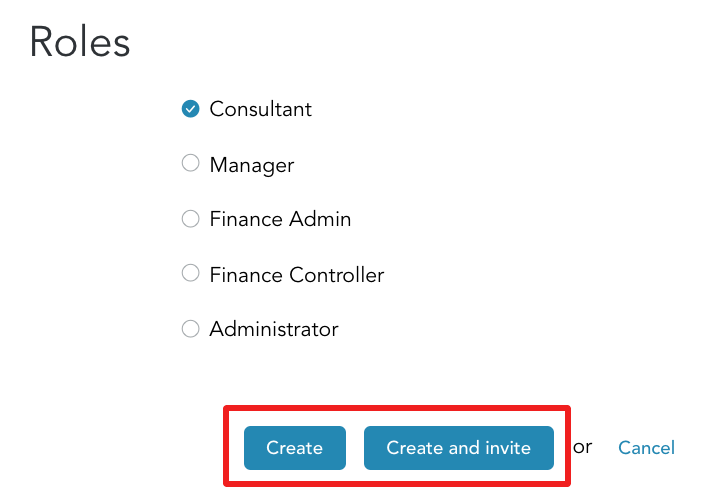
To edit contacts and team members, you’ll now need to choose at least one role for them.
Quiet invites
You can now create team members without sending an invite straight away. This is especially useful during onboarding or when you don't want your clients to use the platform just yet.
Workers
New filter
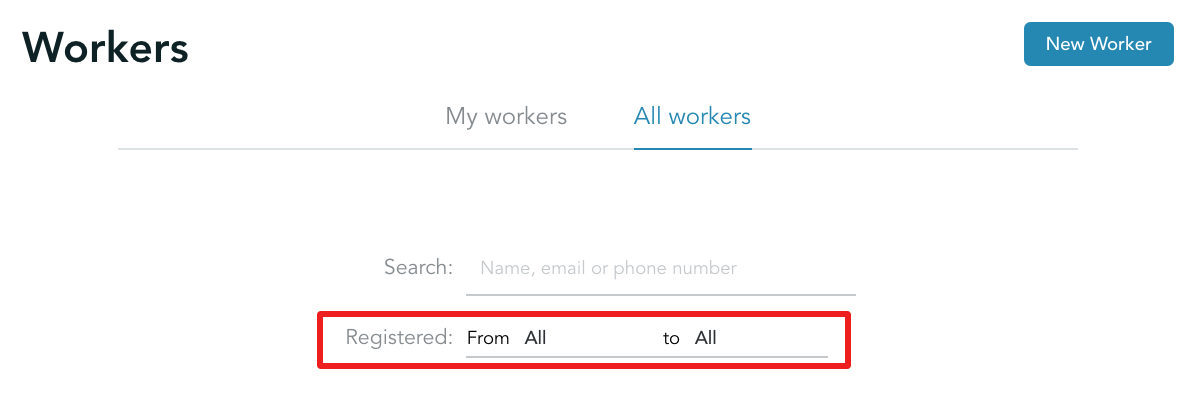
We’ve introduced a filter allowing you to query workers based on their registration date.
Notification to umbrellas when Engagement type is created
When a worker is registered to be paid through an umbrella, the following events will happen:
- The link between the worker and the umbrella will be created automatically.
- Email notifications will be sent to the umbrella informing them that:
- an engagement type was created (if it was chosen as auto-confirmed).
- a pending engagement type exists, awaiting confirmation (if it was set to be confirmed manually). In this case, a second email will be sent when the task is completed.
Important!
Notifications will be sent to the umbrella's general admin email - it has to be configured on the platform beforehand. This can be done by going to Preferences -> Notifications -> General Admin.
Timesheets & Expenses
Expenses and timesheet submissions are essential for workers and that's why we’ve improved both areas significantly.
Absent timesheets
We’ve introduced the ability for workers and agency users to mark timesheets as absent; this is particularly useful as it saves the agency having to follow it up if the worker hasn’t worked that week. You can find out more about this feature here.
Expense configuration
We’ve added an option to define whether or not you’d like your workers and agency users (on behalf of your workers) to create expenses. You can read more about this feature here.
Finance
Invoice access control
We’ve now enabled an automatic grant of finance role to team members who are added as invoice contacts.
- For end hirers, this will be the Finance role.
- For umbrellas and agencies, it’ll be the Finance Admin role.
Larger invoices
We are now able to produce invoices with over 3,000 timesheets!
Calendar monthly invoices
Some clients require invoicing with timesheet bound to data within a calendar month. This means that some timesheets will need to be split into different invoices. As a result, we’ve:
- modified our invoice template to accommodate this option.
- improved both CIS and Transaction reports so that they are able to handle such invoices.
'Calendar invoicing' is configurable. You can amend the settings by going to Network -> Businesses -> Choose your client -> Client configuration -> Finance tab - here you can enable/ disable monthly invoicing and choose which date to split timesheets by (i.e. when the calendar month is ending).
Reports
Worker engagement reports
We’ve created a worker engagement report that can generate a CSV file - you can read more about it here.
Platform
Navigation
Back in August, we introduced you to our new navigation (and we hope you like it too!). Many sections have been moved as well as added for a more intuitive experience. If you’d like to find out more about the changes- please check out this release note.
IR35
We’ve developed a completely new IR35 module that’s available to all our clients who are using the Placement service. All the details and features of this module are explained in this article.
A word from us...
Finally, thank you for joining us this year at Engage. We've got plenty of new and exciting developments in store for 2021 to support you in reaching your business' full potential. We're always looking for new ways to develop our platform so we can help you get to where you want to be. Be sure to stay up to date with us throughout the New Year and be first to check out all of our up and coming new features.
We hope you have a great Christmas…
SEE YOU NEXT YEAR!
From everyone at the Engage team