
Who can request supplier invoices?
Team members with the role of Finance Admin, Finance Controller or Administrator at the Agency can request supplier invoices while only administrators at End-Hirers have access to this feature (you can find out more about roles and privileges here)
Step 1. Log in to Engage portal
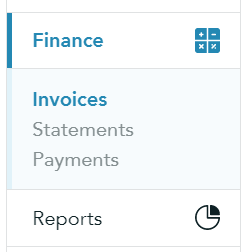
Step 2. Navigate to 'Finances' and 'Invoices'
Step 3. Select the 3-line menu and click 'Request supplier invoices'
Step 4. Adjust the timesheet period to find the right timesheet (If multiple timesheets are linked to the business, you will see all of them sorted by the workers)
Step 5. Once done, click 'Back' and 'Request invoices'