
Who can interact with this?
Anyone in your business can amend/add an engagement type and follow the checklist below (you can find out more about roles and privileges here)
Engagement type defines how your worker is being paid as well as the set of documents they need to provide on the platform (if you are using our Registrations & Compliance module). In this article, we will cover how to amend an existing payment type or add a new one depending on your requirements.
Step 1. Log in to Engage portal
Step 2. Navigate to the 'Workers' section and find the worker in question
Step 3. Scroll down to Engagement type
Step 4. Here you might be presented with 2 scenarios:
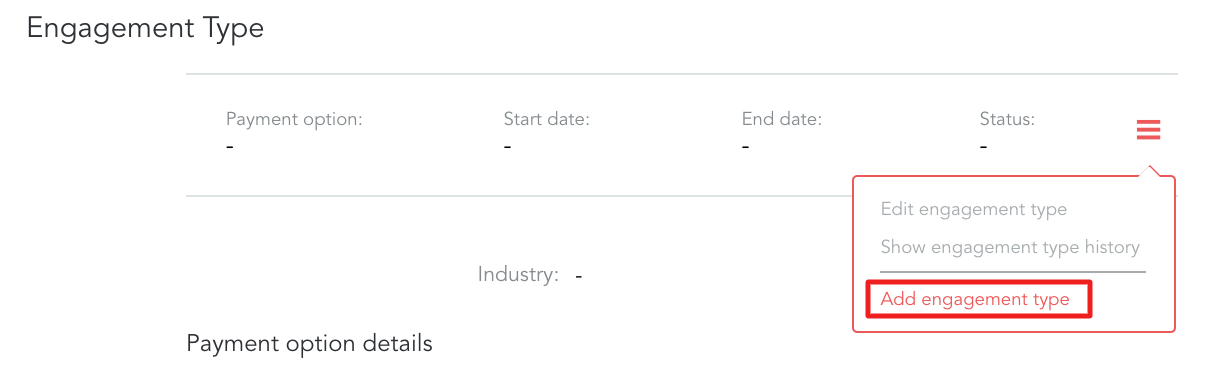
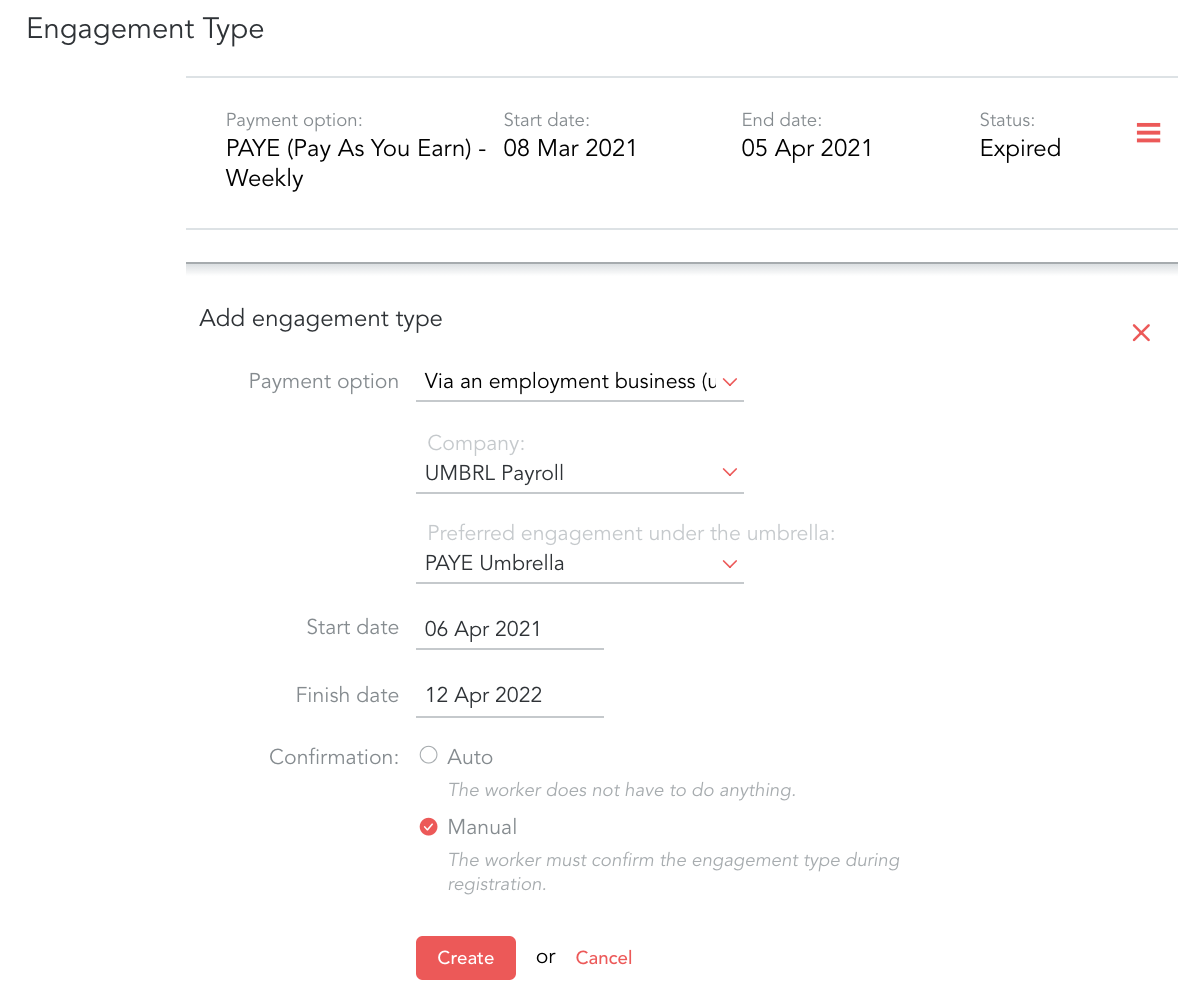
Step 4.1.1. Click on 'add engagement type' from the 3-line menu
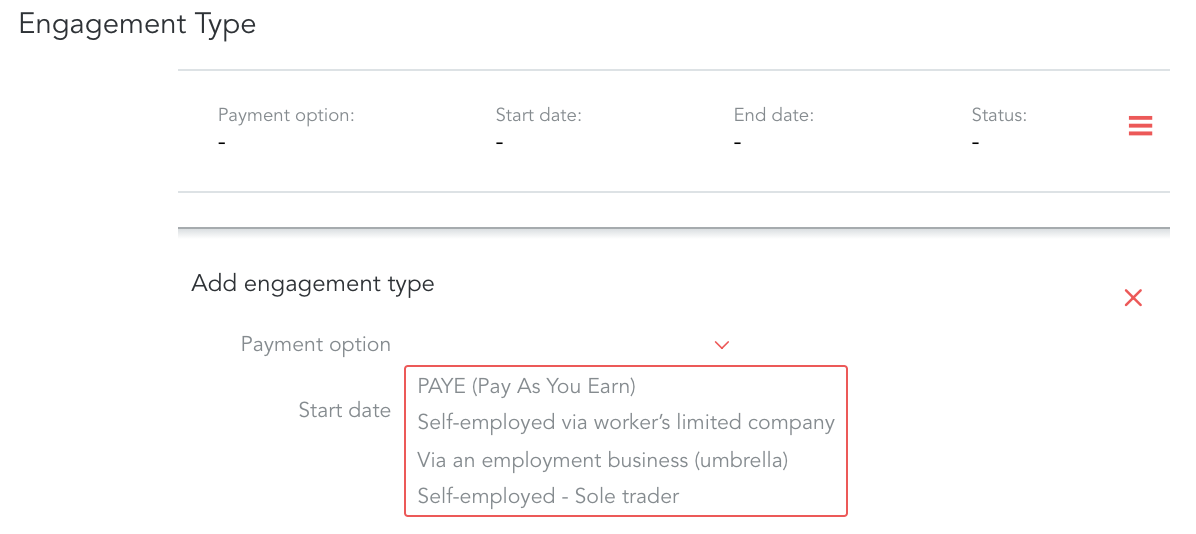
Step 4.1.2. Choose an appropriate payment type and start/finish dates
If you wish to switch worker from one payment type to another (for example, from PAYE to Umbrella) you will need to make sure to end the current eng. type first. It's important to remember that if you are using our Registration & Compliance module, by doing so you will remove the documents associated with that payment option - please make sure to save them before proceeding if required.
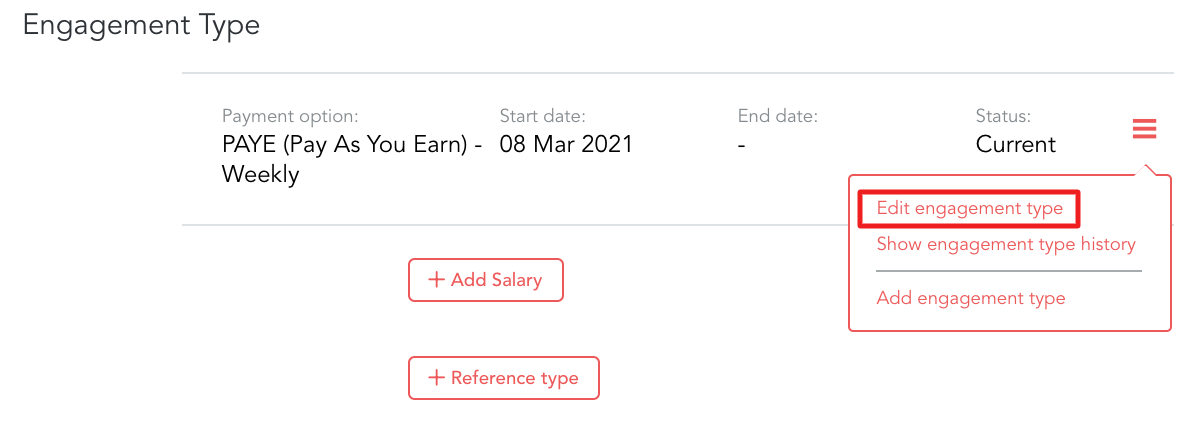
Step 4.2.1. Click on 'edit engagement type' from the 3-line menu
Step 4.2.2. Set it to yesterday
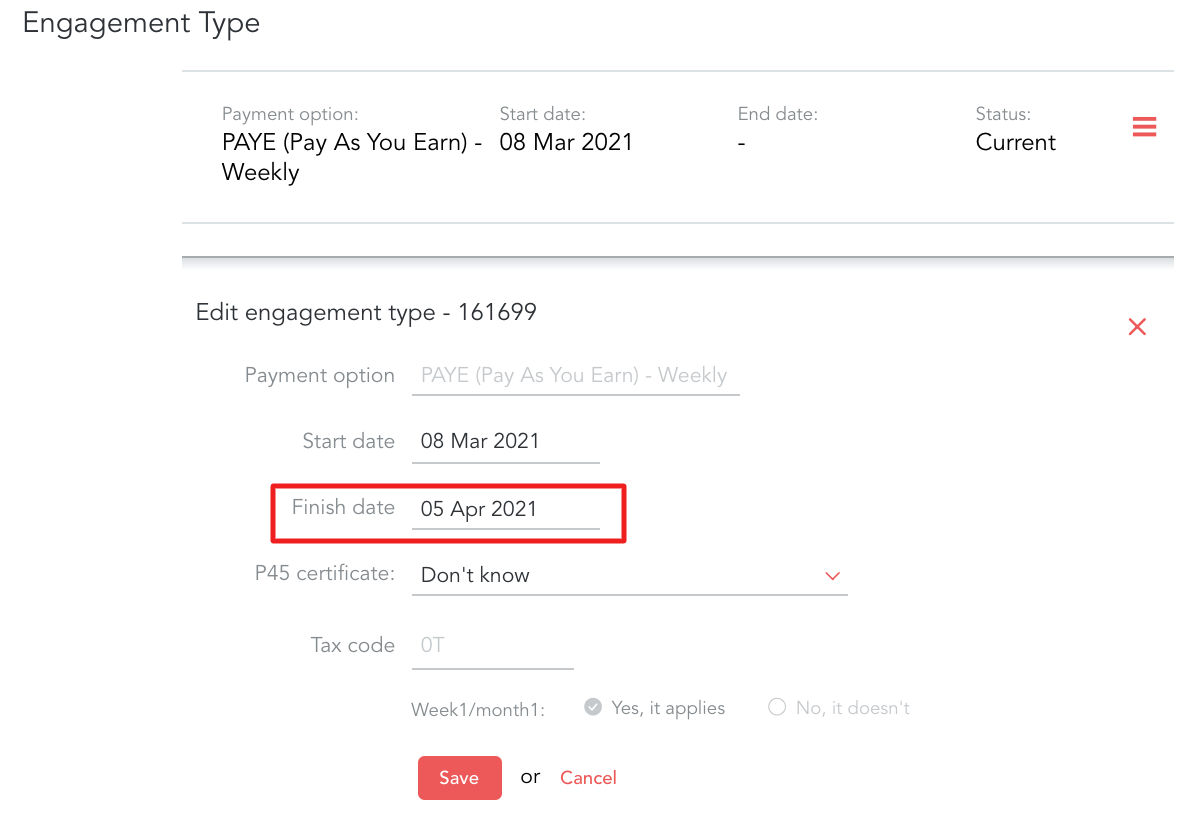
Step 4.2.3. This will mark the eng. type as Expired meaning you can now add a new one

Step 4.2.4. By going to the 3-line menu and choosing 'add engagement type' you can now set a new one
Important!
- Please make sure dates of the engagement types are not overlapping - meaning if the 'old' one finishes on 6th of April, the new one can only start on 7th
- If you wish to change the payment option under the umbrella there is no need to create a new engagement type - simply edit the existing one
- Please follow the steps here to connect to the umbrella company you require