
Welcome to the second installment of our Release Notes!
First of all, we would like to start with...
New features 🧟
The all-new 'Expenses ID' filter will make sure that periodic finance runs even smoother. Now integrated into Timesheets, it was a much-desired feature that is finally here! Keeping track of countless worker expenses just became a whole lot easier!
New to Placement Reports - the ability to see the Parent Vacancy ID in order to backtrack data. It's just a little addition to our goal to improve ENGAGE platform - we think you'll find it very useful.
Timesheets, timesheets, timesheets: what would make scrolling and filtering through them all to find one easier? The option to filter by Timesheet ID!
More on Timesheets: we have added a new column 'Consultant name' in all of the timesheet reports.
Improvements 🕯️
Now for the improvements: we are working hard to better our platform and the user experience. That's why we've taken steps to further improve our security, functionality, and performance.
Who likes waiting? - Not us and we know that you don't either. That’s why we've improved the performance on the Worker's page to fetch payment instructions much faster. The same happened with Timesheets - performance was greatly improved and optimised to deal with a higher number of queries.
In our fast-paced and ever-changing world, it's important to stay on top of things. One way to stay 'in the know' on ENGAGE is to check your Notifications. Previously capped at only 20, you will now be able to see all of them!
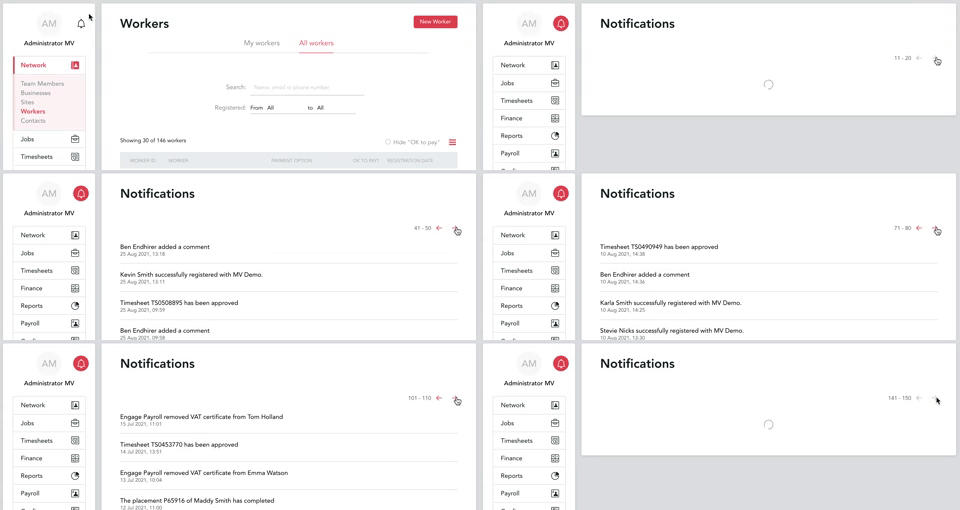
Speaking of an ever-changing world, we have taken action to remove the 'Timesheet import' button from the UI while we are working on improving the import function. It was also decided to remove 'PO required for Vacancy creation' from the VMS configurations page as this feature is not presently used. We aim to build a streamlined and seamless platform that serves and answers your day-to-day hurdles, and one ways of doing so is to constantly monitor the efficacy of all available features.
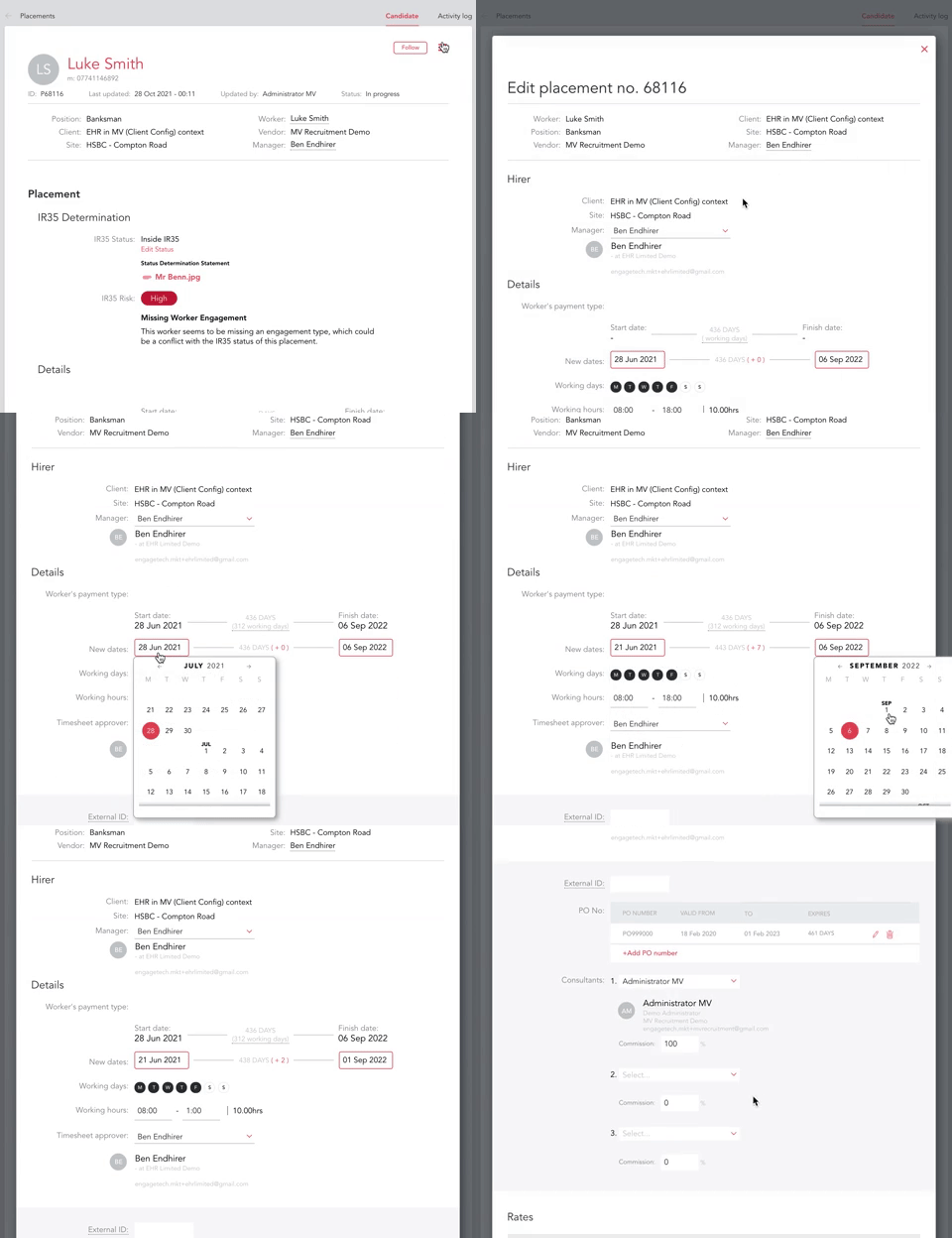
Last but not least, we have improved activity logs on our Placements module - now you will be able to see every change that has been made to the placement (previously, you would only be shown that a team member has edited it).
Fixes 💀
It wouldn't be a complete patch notes release unless it contained bug fixes and we’ve got five just for you:
- Some users were seeing the login dialog overlapped on top of the reset password page if the link expired. Now resolved!
- Both filters on the Invoices page 'Issued to' and 'Received from' weren't always working as they should. Well, it's no longer a problem.
- Some users experienced difficulties with documents after uploading one with special characters. Won't be a roadblock anymore.
- Previously, the platform would allow you to save the finance settings in the Client Configuration without stating anything in the 'Issued to' field, which led to some invoices getting broken. This no longer would be an issue!
That is all for now!
Note from the team 🧛
As always, we would be happy to receive feedback or any suggestions you have - do not hesitate to email us at customersuccess@engagetech.com!
We hope these updates will make your workflow 🎃 less trick more treat 🎃 and our fixes will prevent you from being haunted by ghoulish bugs 👻
Happy Halloween from ENGAGE team!